Product tour
See how Not A Lone Worker works, screen by screen
Scheduled check-ins, a follow-up call from Zoe when one is missed, escalation to the people you choose, and a record of every step. All screenshots are from a demo account with a fictional team.
Dashboard
Everyone accounted for, at a glance
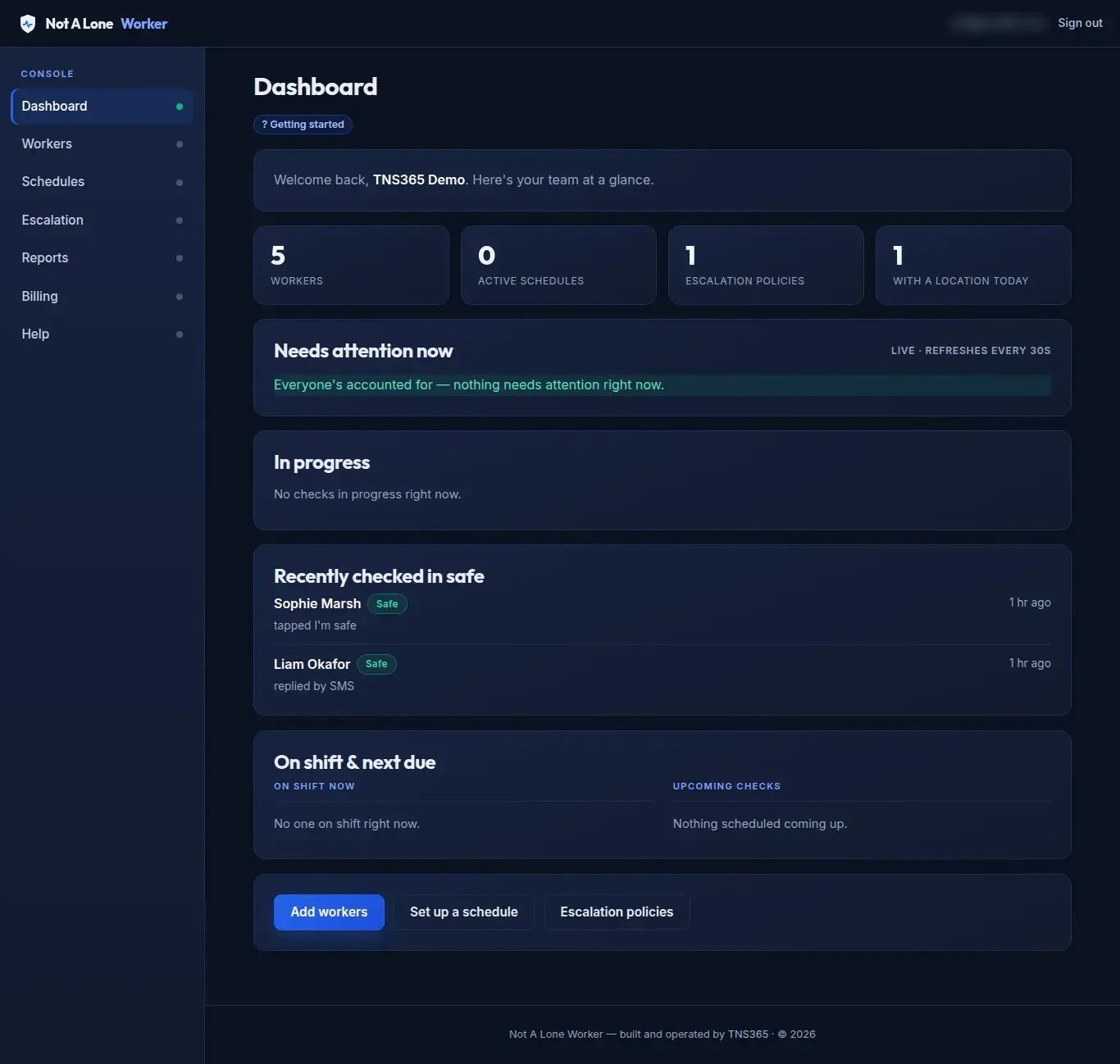
What needs attention, first
The Needs attention now panel refreshes every 30 seconds. Anything unresolved appears at the top.
- Checks in progress and recent safe check-ins.
- Who is on shift and what is due next.
Worker setup
Add your team in minutes
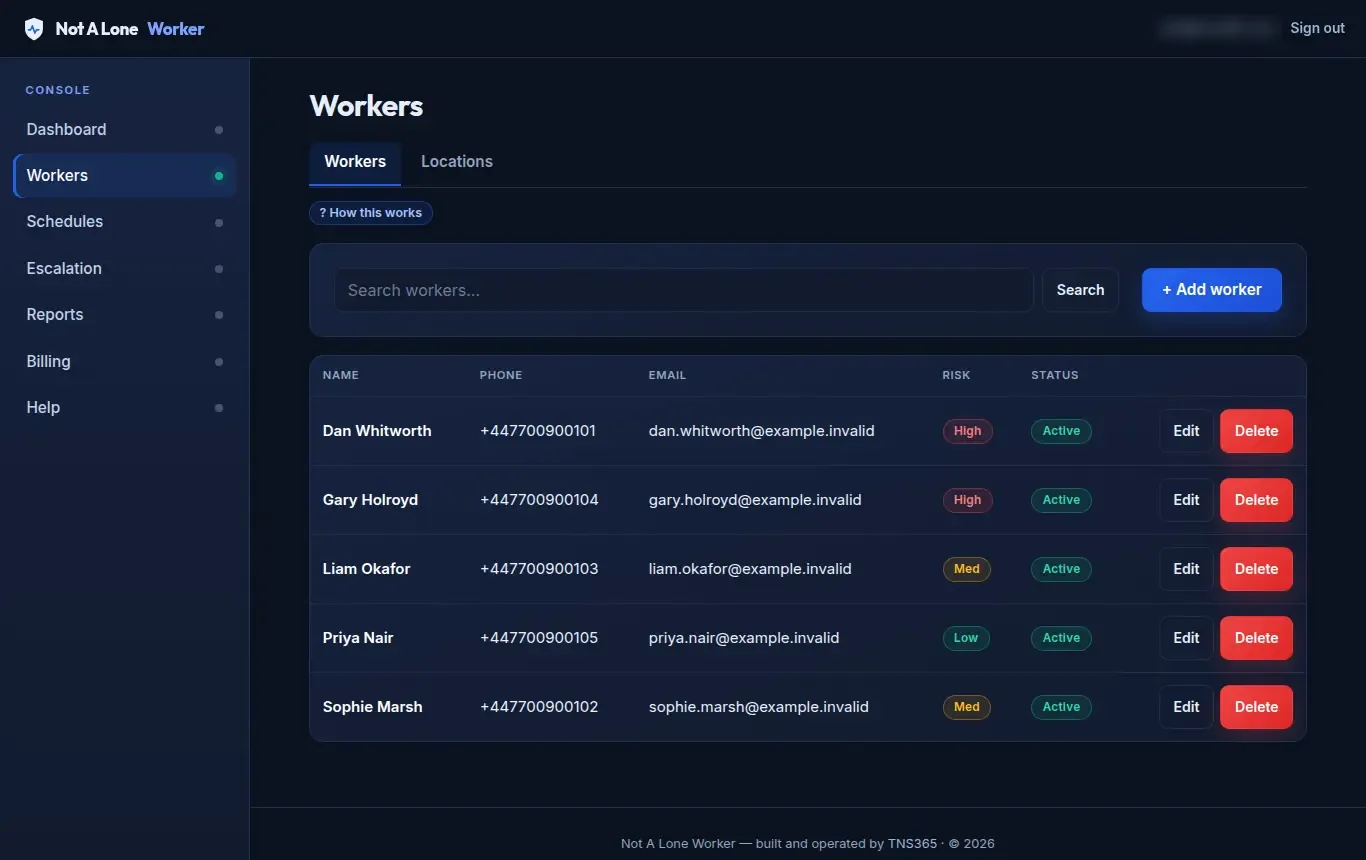
One list for the whole team
Each worker has a name, mobile number, optional email and a risk level. Search, edit or pause anyone.
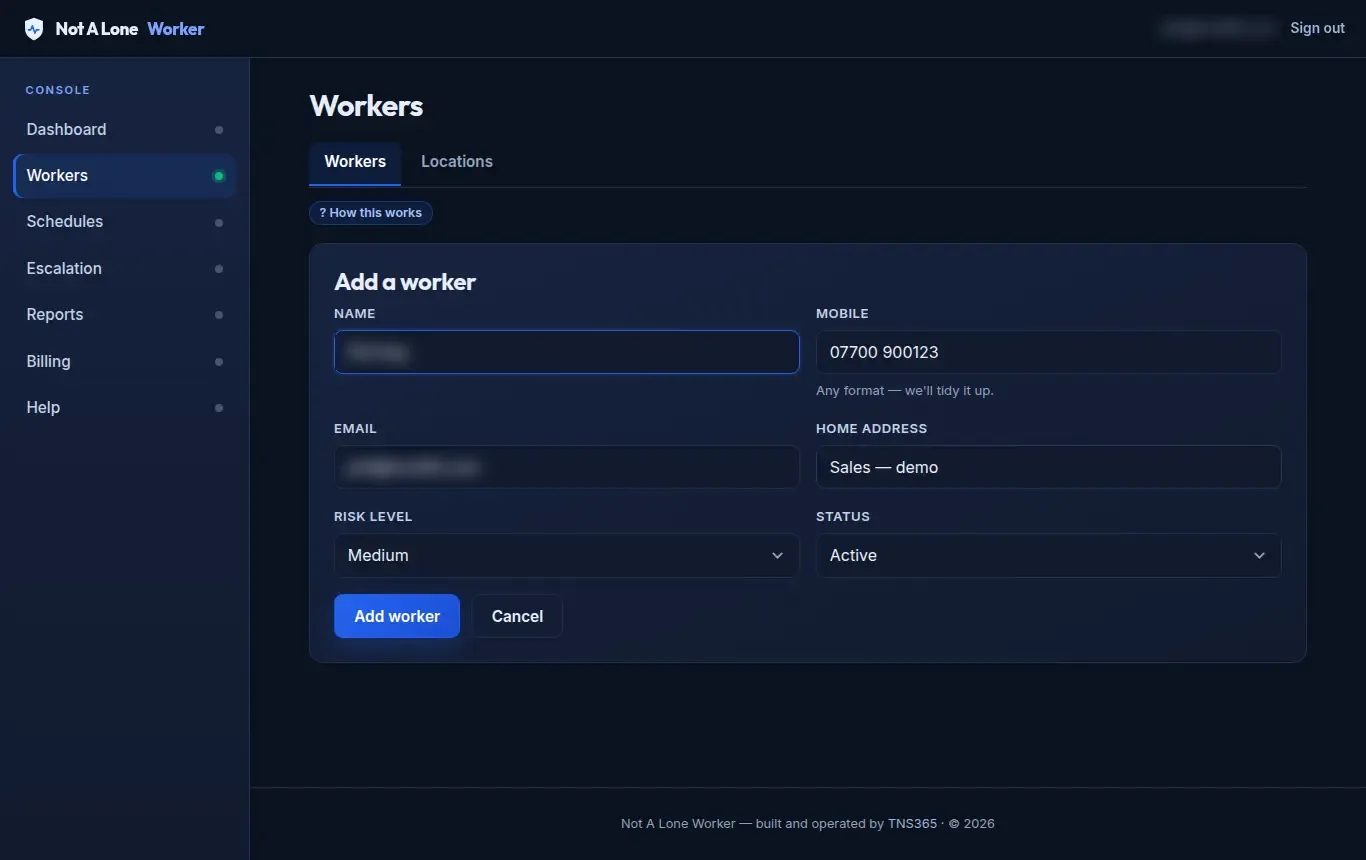
Add a worker
Type the mobile number any way you like and it is tidied automatically. On their first schedule the worker gets a welcome text with their personal check-in link and the number to save, so our calls are not “unknown caller”.
Scheduling
Decide how and how often
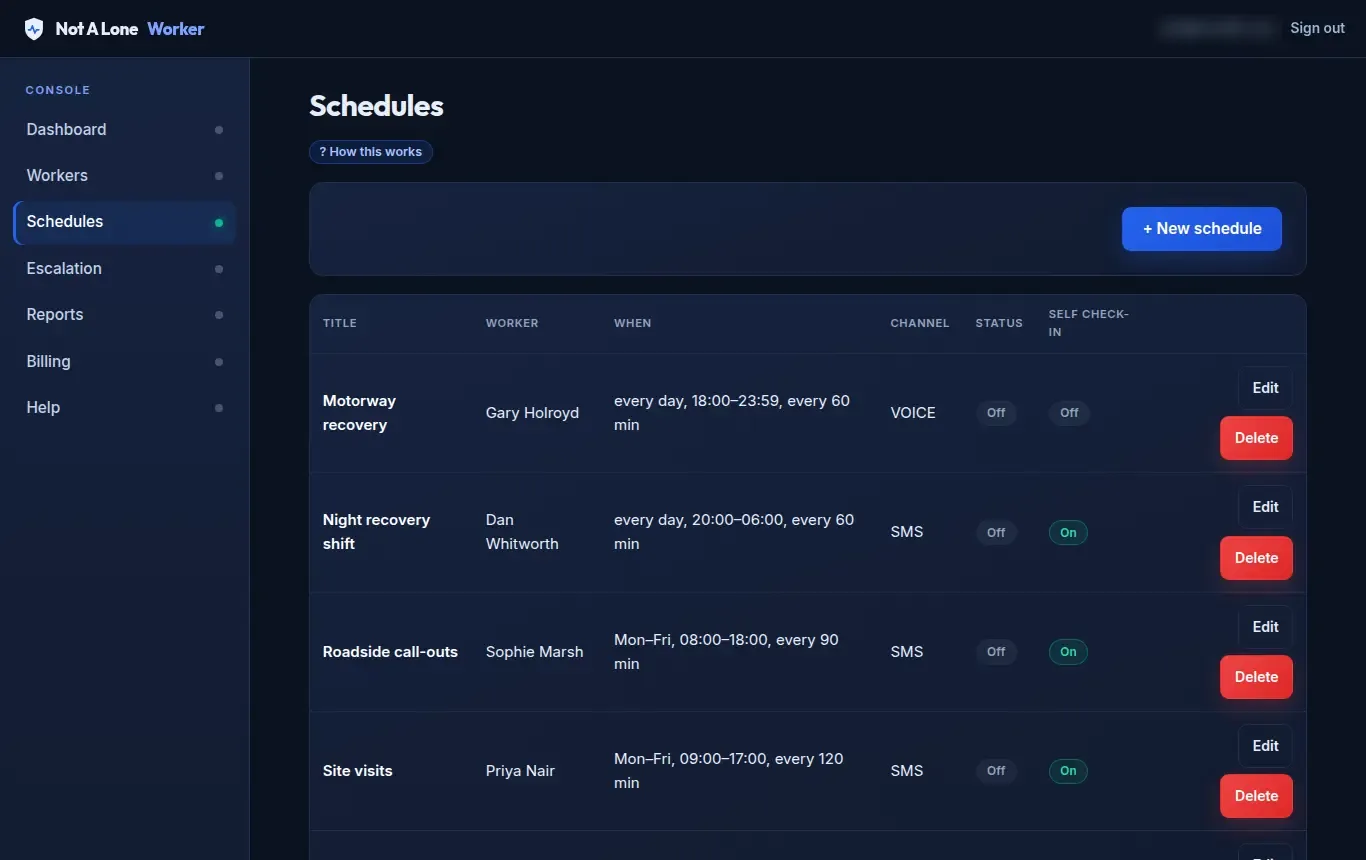
Every schedule in one place
See each schedule’s days and times, its channel (text, email or voice call) and whether self check-in is on. Pause one without deleting it.
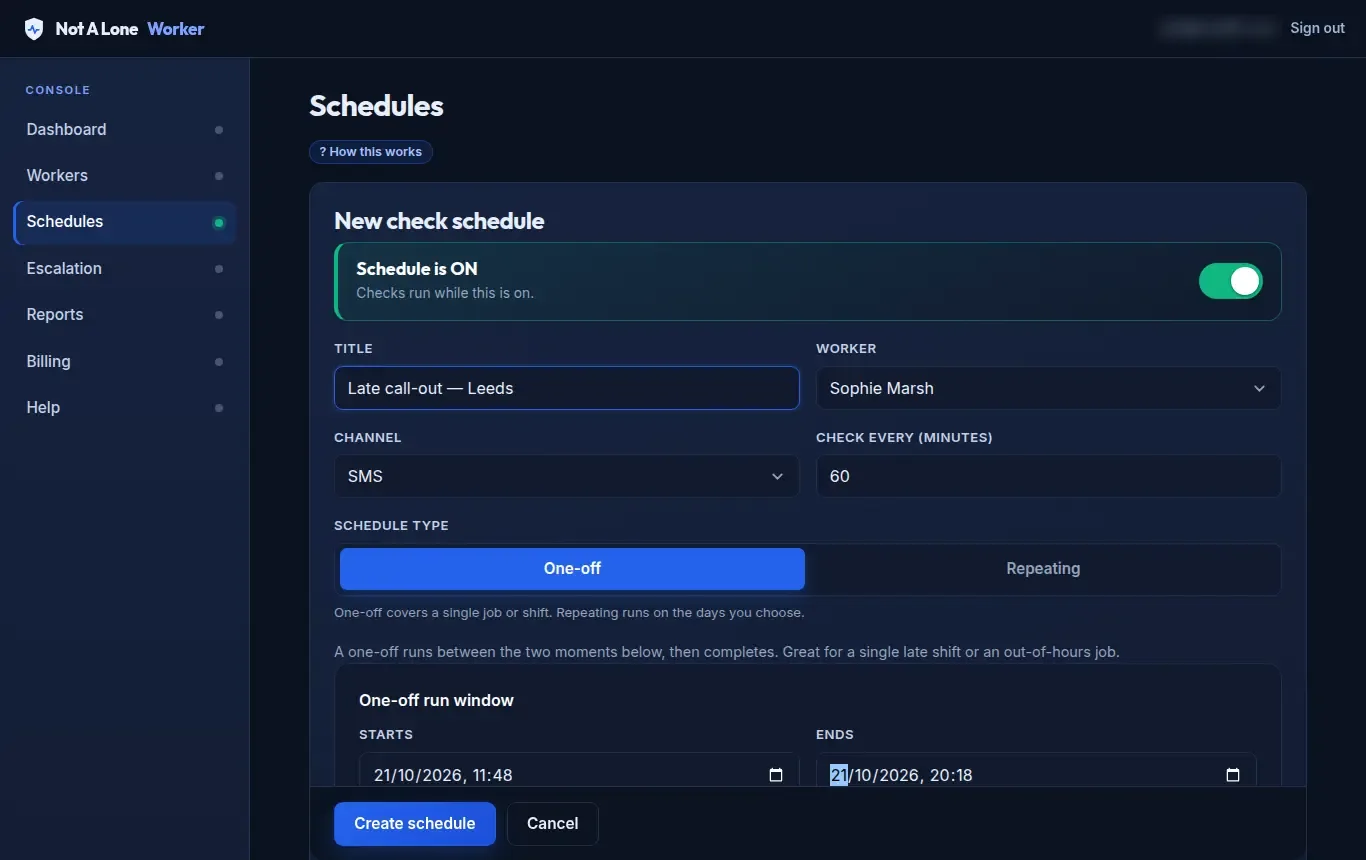
One-off or repeating
- Channel: text, email or voice call.
- One-off for a single late job, or repeating on the days you choose.
- Self check-in: the worker taps a link, and their location is captured at that moment if their device allows it.
- Reminders and whether Zoe calls if they do not respond.
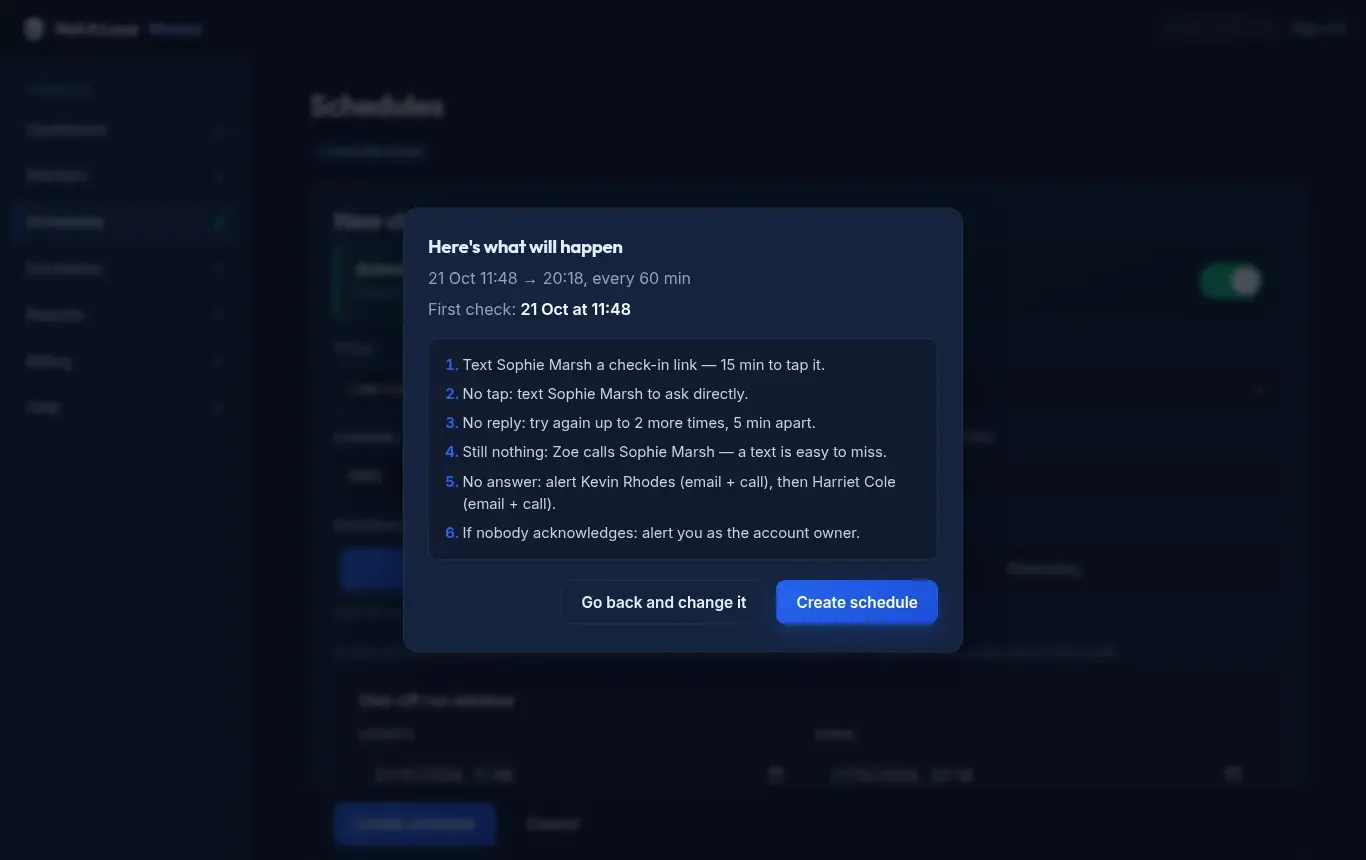
“Here’s what will happen”
Before you save, the console lists the whole sequence in plain English: who is texted, when Zoe calls, who is alerted and in what order. Nothing is a surprise on the night.
The worker’s check-in
Nothing to install. One tap.
Text message
Time for your safety check-in, Sophie Marsh. Tap here: nalw.uk/… – please check in within 15 mins or we’ll call you.
The check-in text. The “or we’ll call you” part appears only when Zoe’s follow-up call is on.
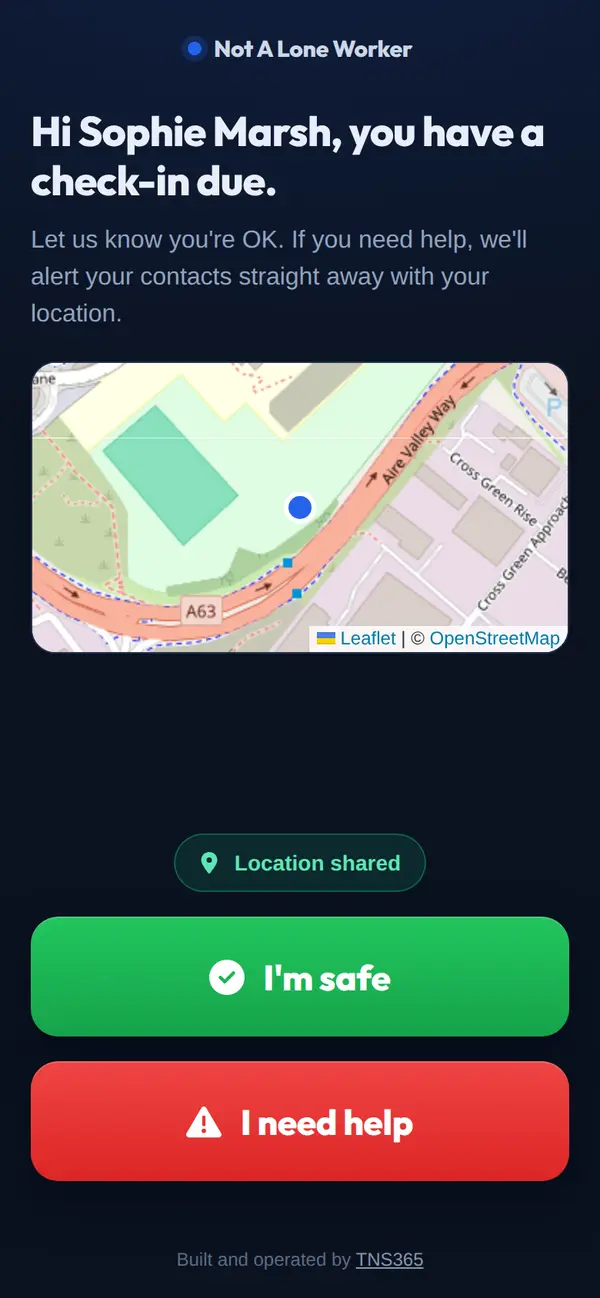
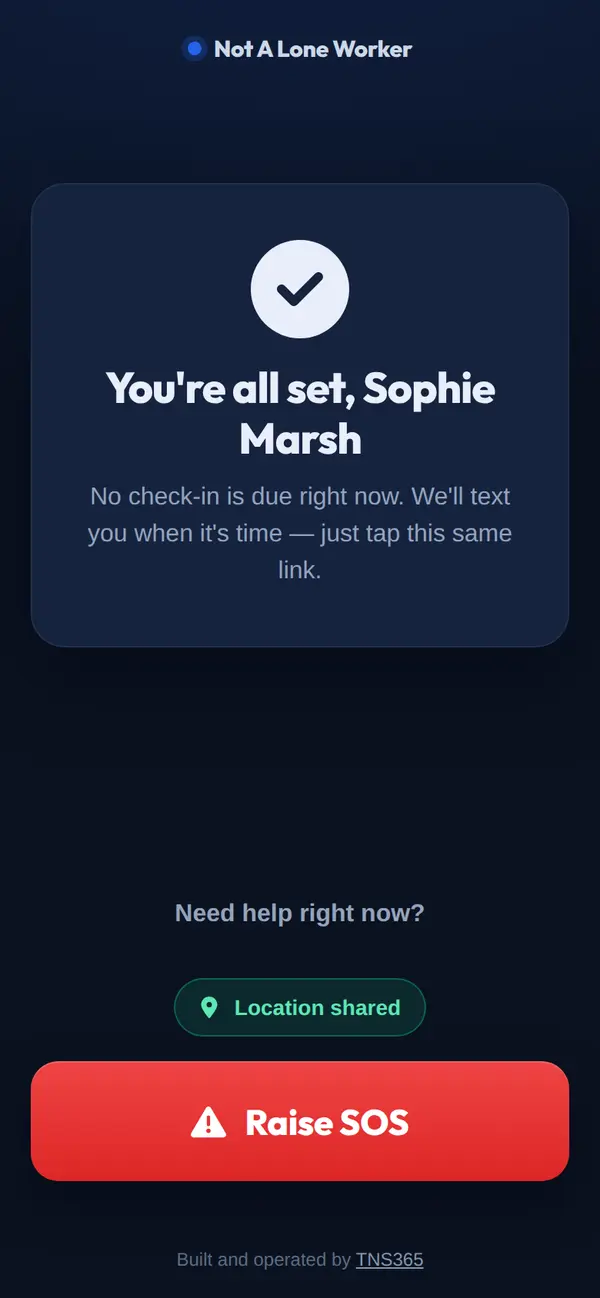
- I’m safe closes the check and records where they were.
- I need help or Raise SOS alerts their contacts at once, with their location.
- Prefer texting? They can reply in their own words, such as “all good, just finishing up”, and the reply is read automatically. Replying SOS or HELP raises the alarm.
- Location is captured only when the worker taps. It is not continuous tracking.
Missed checks and incidents
Silence is never treated as “fine”
If there is no reply
- Check-in link15 minutes to tap it by default.
- RemindersEvery 5 minutes, up to twice more.
- Zoe rings the workerIf voice follow-up is on.
- Your contacts are alerted, in orderUntil one takes it on.
- Account owner final alertEmail, text and call.
If we cannot get through at all
If a text cannot be delivered or a call will not connect, the console does not wait out the timers. It calls straight away or escalates, saying plainly that the worker could not be reached.
If a worker ever replies STOP to our texts, the account owner is emailed at once so they are never silently unprotected.
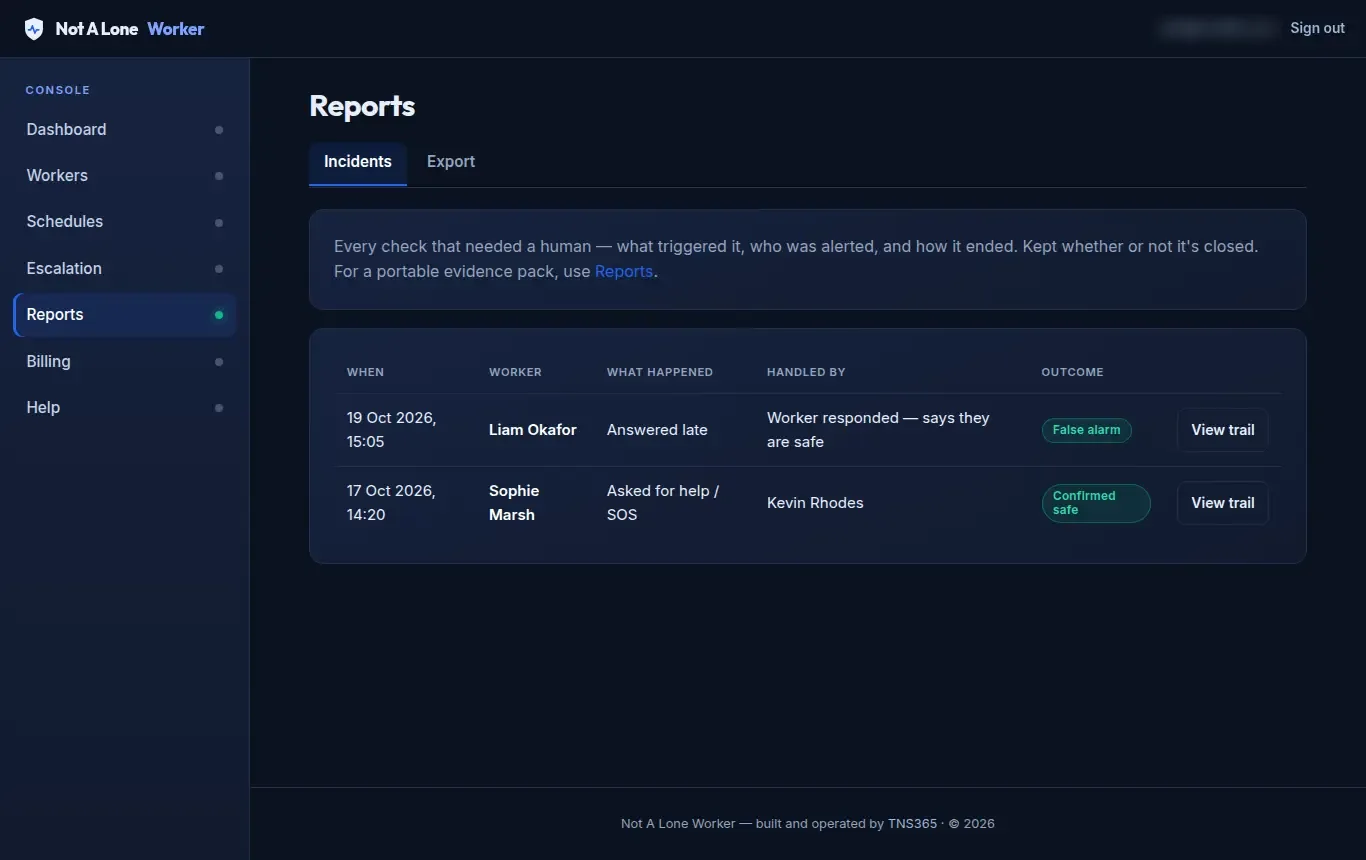
Every incident, kept
Every check that needed a person is listed with what triggered it, who handled it and the outcome, whether or not it has been closed.
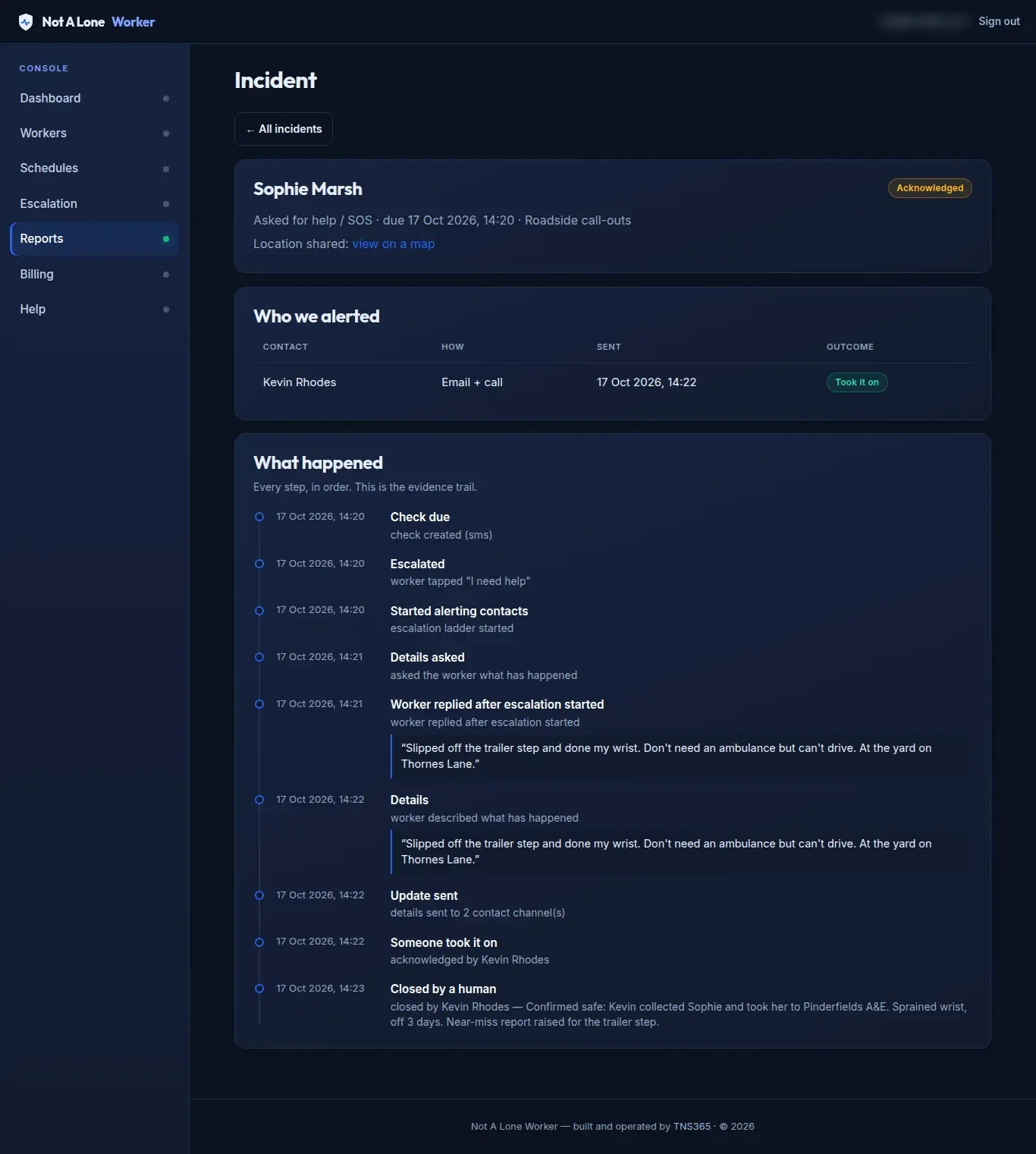
The incident trail
The check, what the worker said, who was alerted and how, who took it on and when. A manager closes it with an outcome (confirmed safe, false alarm, handled offline or other) and a note.
Zoe follow-up
A text is easy to miss. A call is harder to.
Zoe calls as “Zoe from your organisation”
A schedule can use a call as the check itself, or ring the worker only if they have not answered. Zoe has a short, spoken conversation and decides safe or needs help, using only the worker’s own words.
- Phone call-screening and voicemail are recognised and are not treated as the worker answering.
- If the worker is on the line but gives no clear answer, it is treated as needing help.
- No answer at all: the check stays open and the normal timers carry on to escalation.
- Calls are not audio-recorded. A text transcript is kept on the check.
Zoe Hi Sam, it's Zoe from Example Ltd. Quick safety check. You OK?
Worker Yeah, all good. Just finishing up here.
Zoe Lovely, thanks. Take care.
System: Check closed as safe. The call is added to the audit trail as a text transcript.
Illustrative only: not a recording. Zoe uses the name of your organisation, here a made-up “Example Ltd”. Real calls vary with what the worker says.
Zoe Hi Sam, it's Zoe from Example Ltd. Quick safety check. You OK?
Worker No, not really.
System: Escalation starts. The first person on the list is alerted.
Zoe I'm alerting your contacts now. Are you hurt?
Zoe Do you need an ambulance? Where are you exactly?
Zoe I've alerted your first contact and I'm sending them what you've told me. If they don't respond, I'll alert the next one. Stay where you are if it's safe.
Illustrative only: not a recording. Zoe uses the name of your organisation, here a made-up “Example Ltd”. Real calls vary with what the worker says.
Escalation ladder
The people you chose, in the order you chose
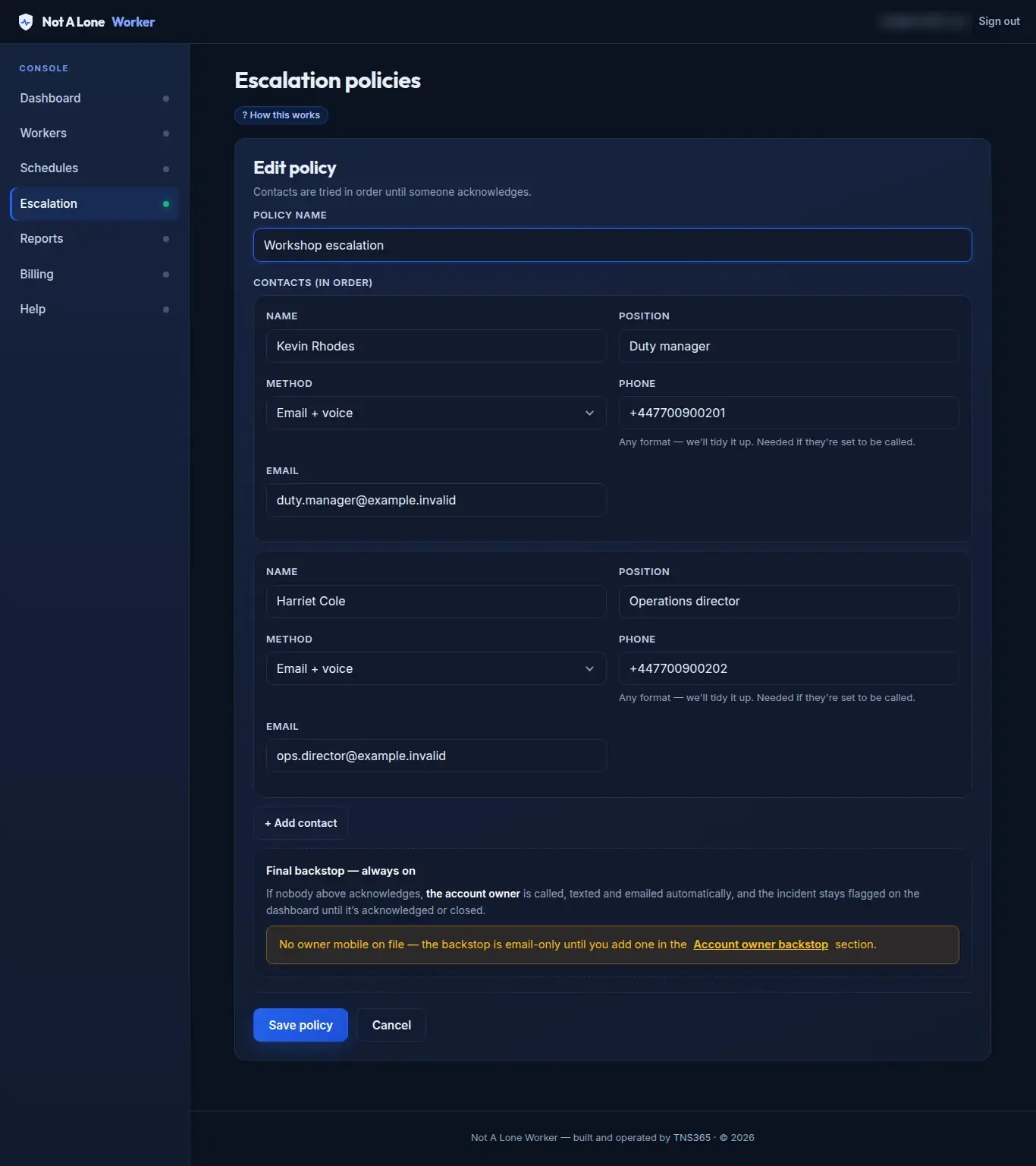
Contacts, in order
Each contact is alerted by email, by text with a take-over link, and/or by an AI call, as you set them up. The next is alerted only if nobody acknowledges within 5 minutes.
After the last contact, the account owner gets a final alert by email, text and call. The ladder does not repeat, and the incident stays flagged on the dashboard until someone acknowledges or closes it.
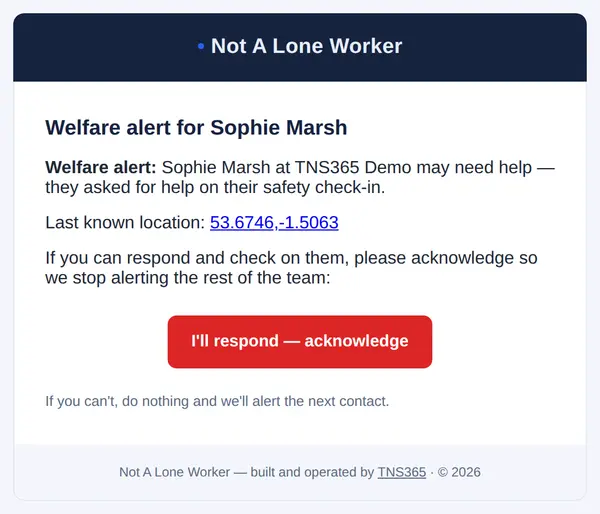
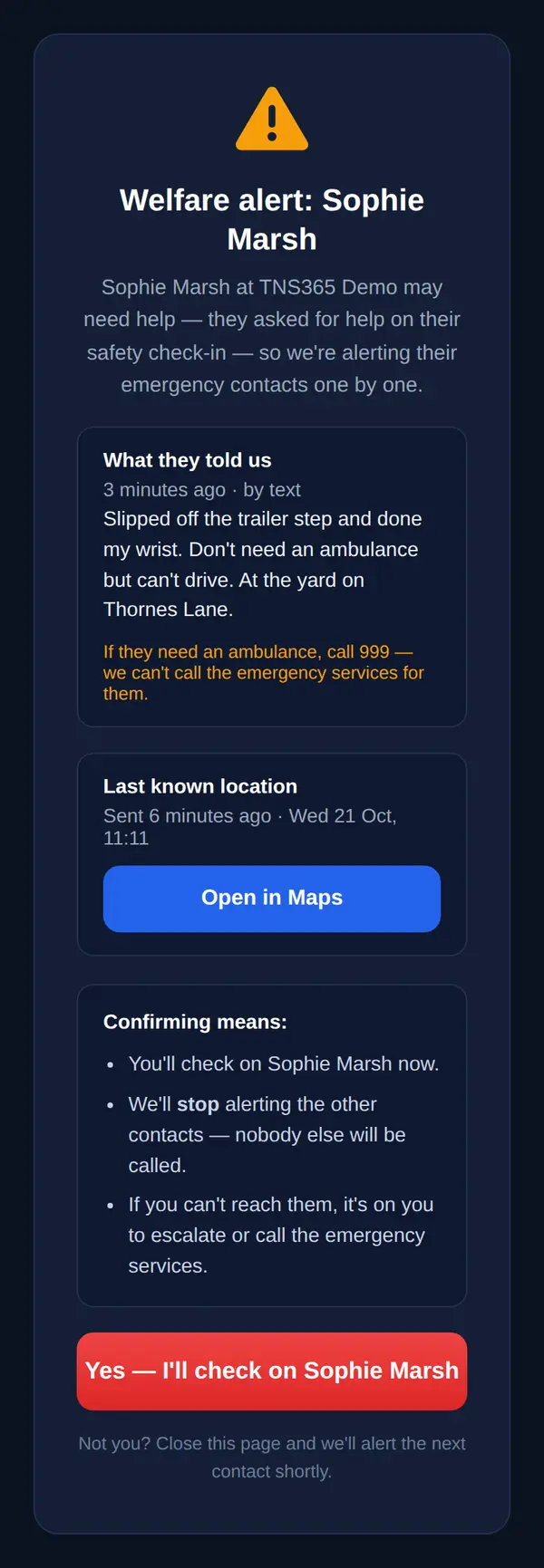
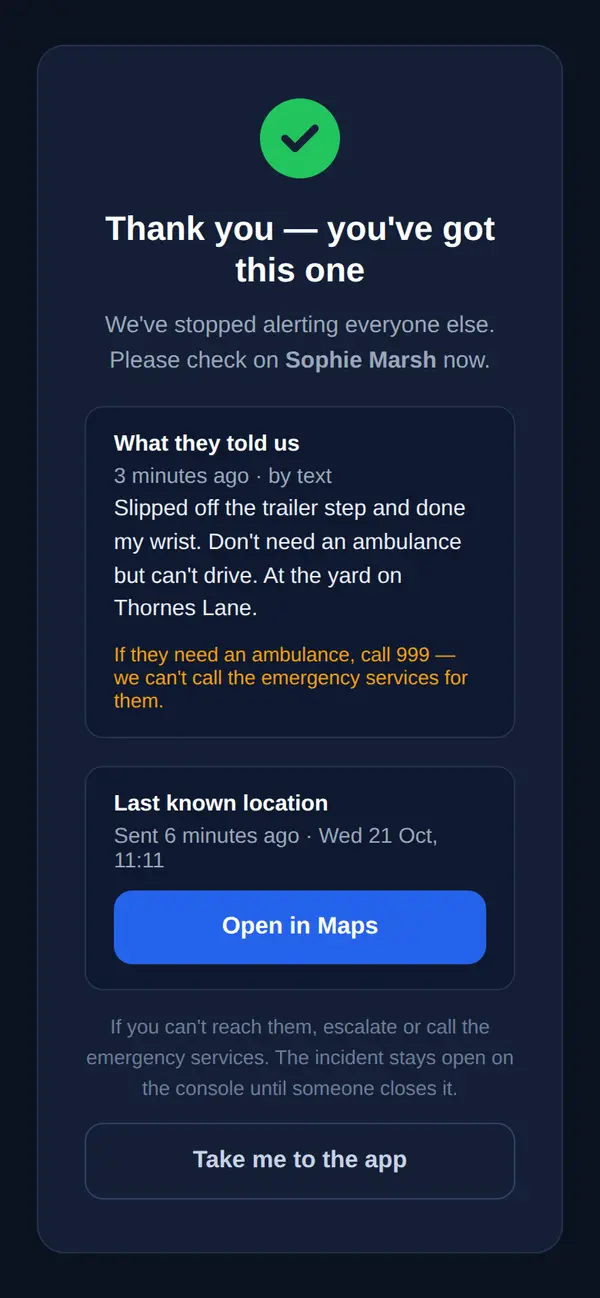
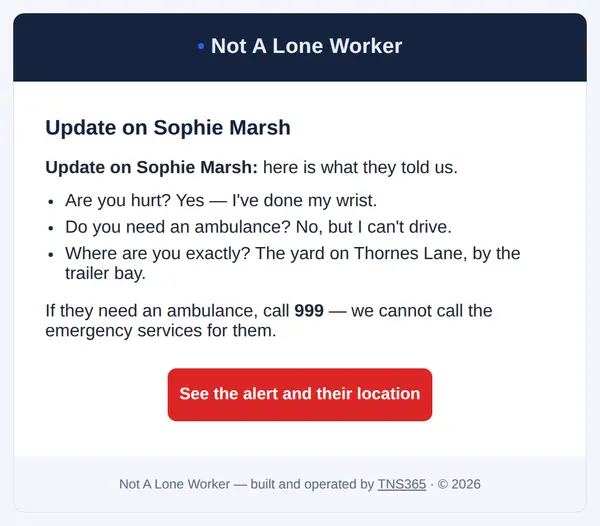
When the worker tells us more, on the call or by text, everyone already alerted gets an update. The alerts remind responders to ring 999 if needed. NALW alerts your people; it does not contact the emergency services itself.
Audit trail and reports
A record of how your procedure ran
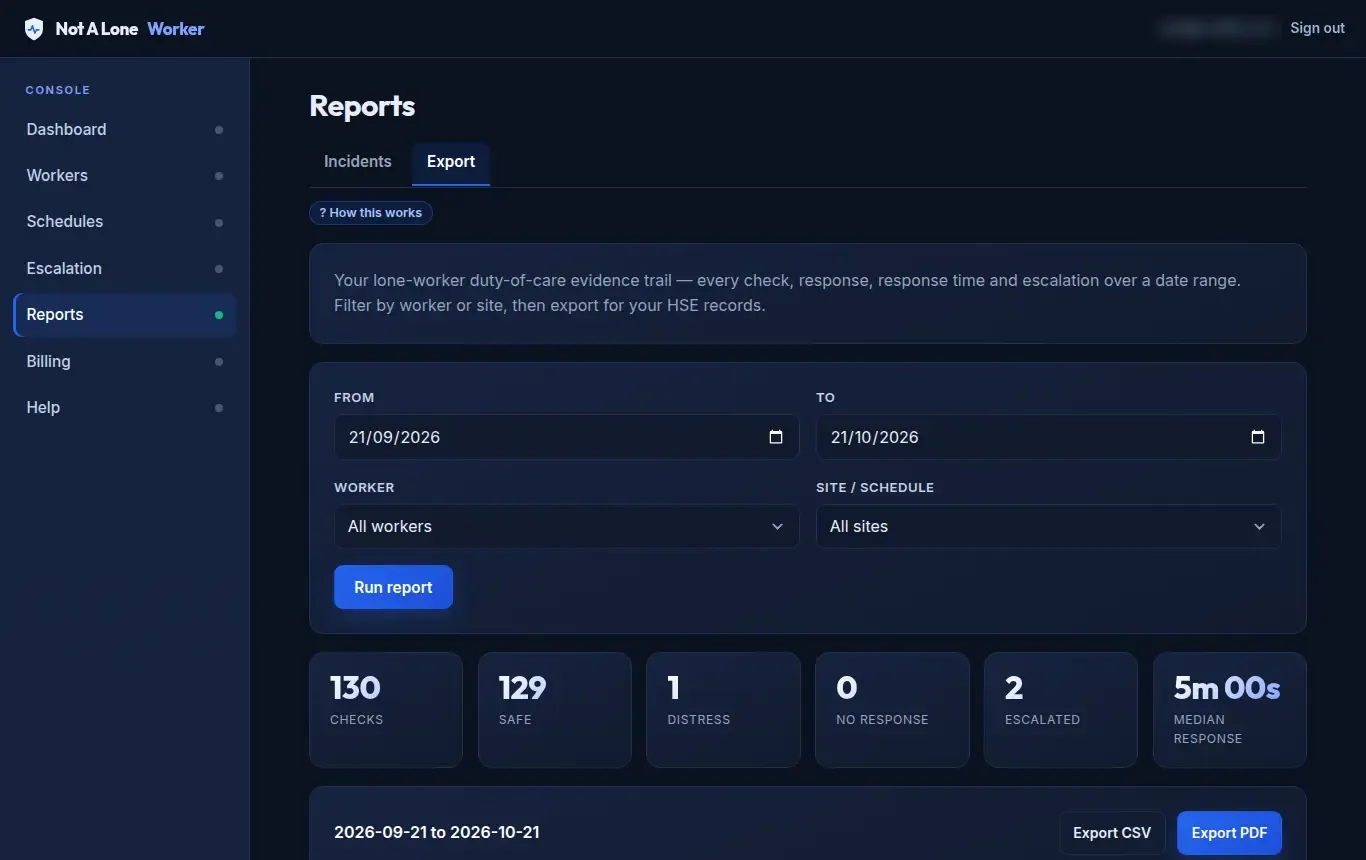
Reports
See total checks, safe, distress, no-response, escalations, self check-ins and median response time. Export CSV on Pro and Ultimate, or a PDF evidence pack on Ultimate.
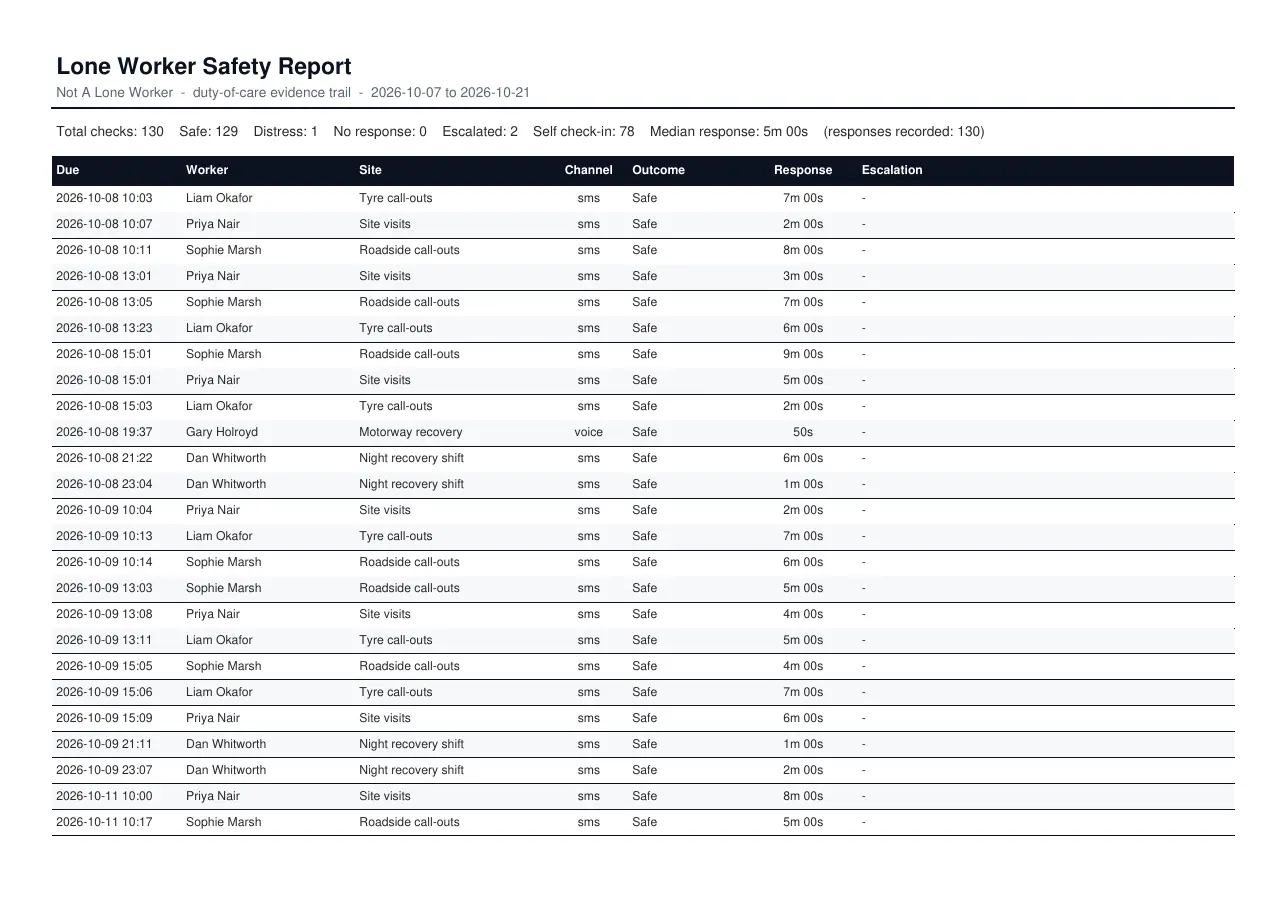
The evidence pack
Every check with its outcome, response time and any escalation, generated from the records as they happened.
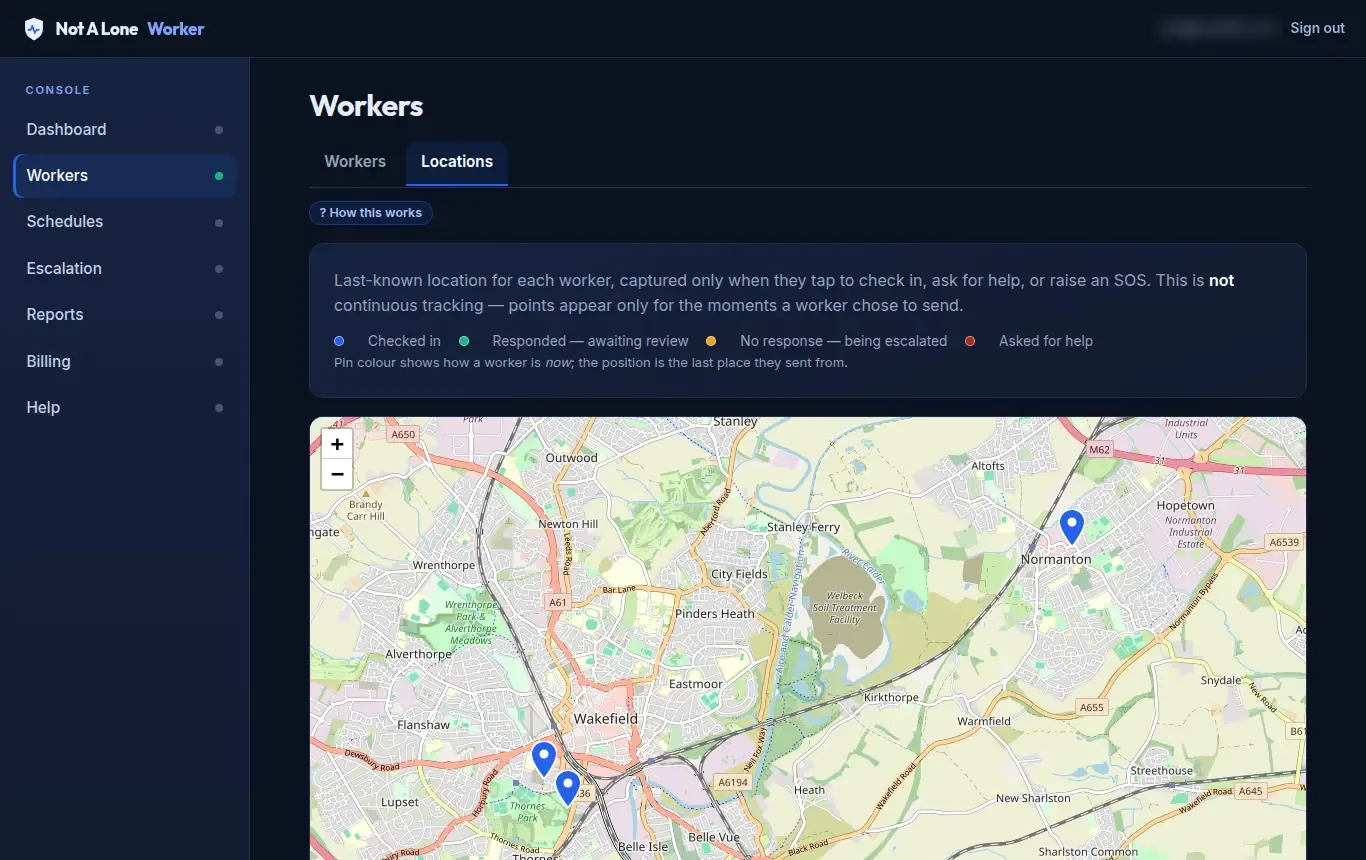
Last-known locations
A map of where each worker last checked in, coloured by status. It shows only the points workers chose to send by tapping. It is not live tracking.
Want to see it with your own team?
Tell us about your organisation and we will arrange access or a demonstration.